Smart Fan Challenge
Design your Smart Fan, the fan should turn on automatically based on the ambient temperature at the room.
What It has to do?
-
The room is detected as hot when temperature degree is higher than threshold temperature which make people feel uncomfortable. Threshold temperature decide based on the ambient temperature in the room.
-
The temperature sensor will send this signal to micro:bit,and micro:bit send the signal to the fan.
Hardware to be Used
This project uses the following modules from the Neo Beginner Kit:
-
Temperature and Humidity Sensor – Detects temperature and humidity level of the room
-
NeoPixel Ring – If temperature is less than threshold temperature it is pleasant (green)
-
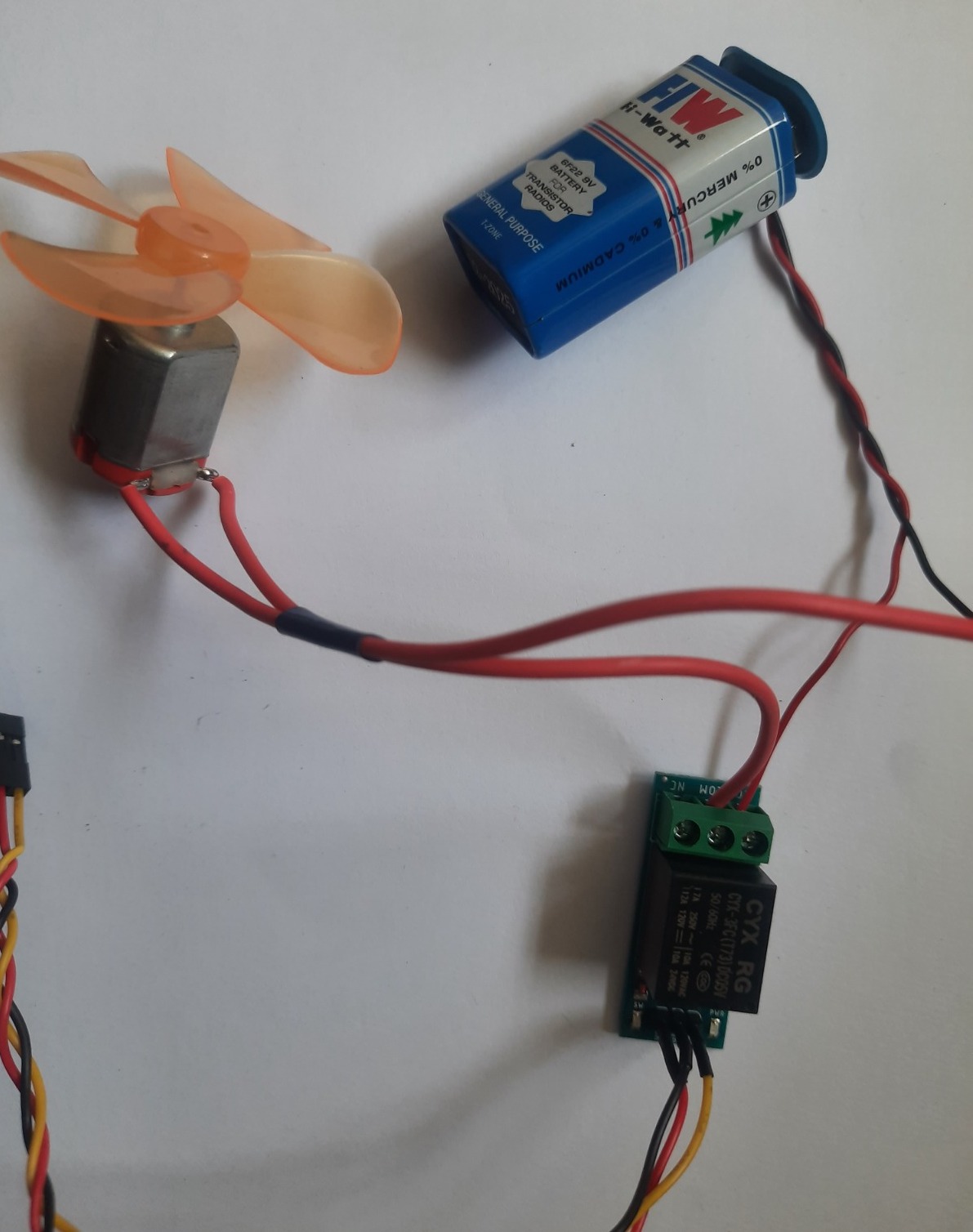
Relay Module – Safely turns the fan ON and OFF
-
DC Motor with Fan – DC Motor with Fan has to be connected to Relay module similar to water pump
-
OLED Display (I2C) – Shows moisture level and pump status
-
Breakout Board + Connection Cables – Plug-and-play connections to micro:bit
Desing you Smart Fan
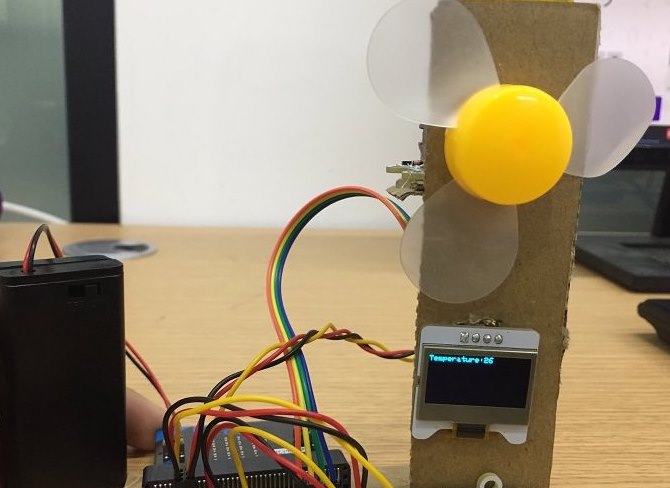
- Model of the Smart fan
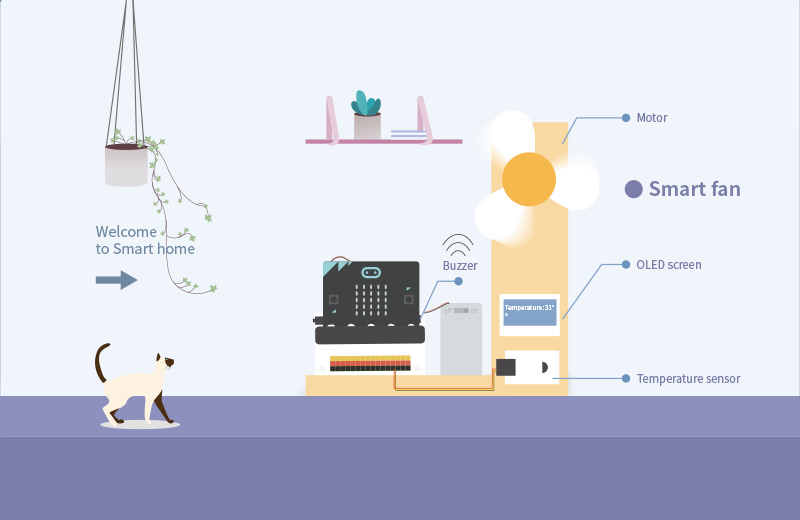
- Design of the Smart fan
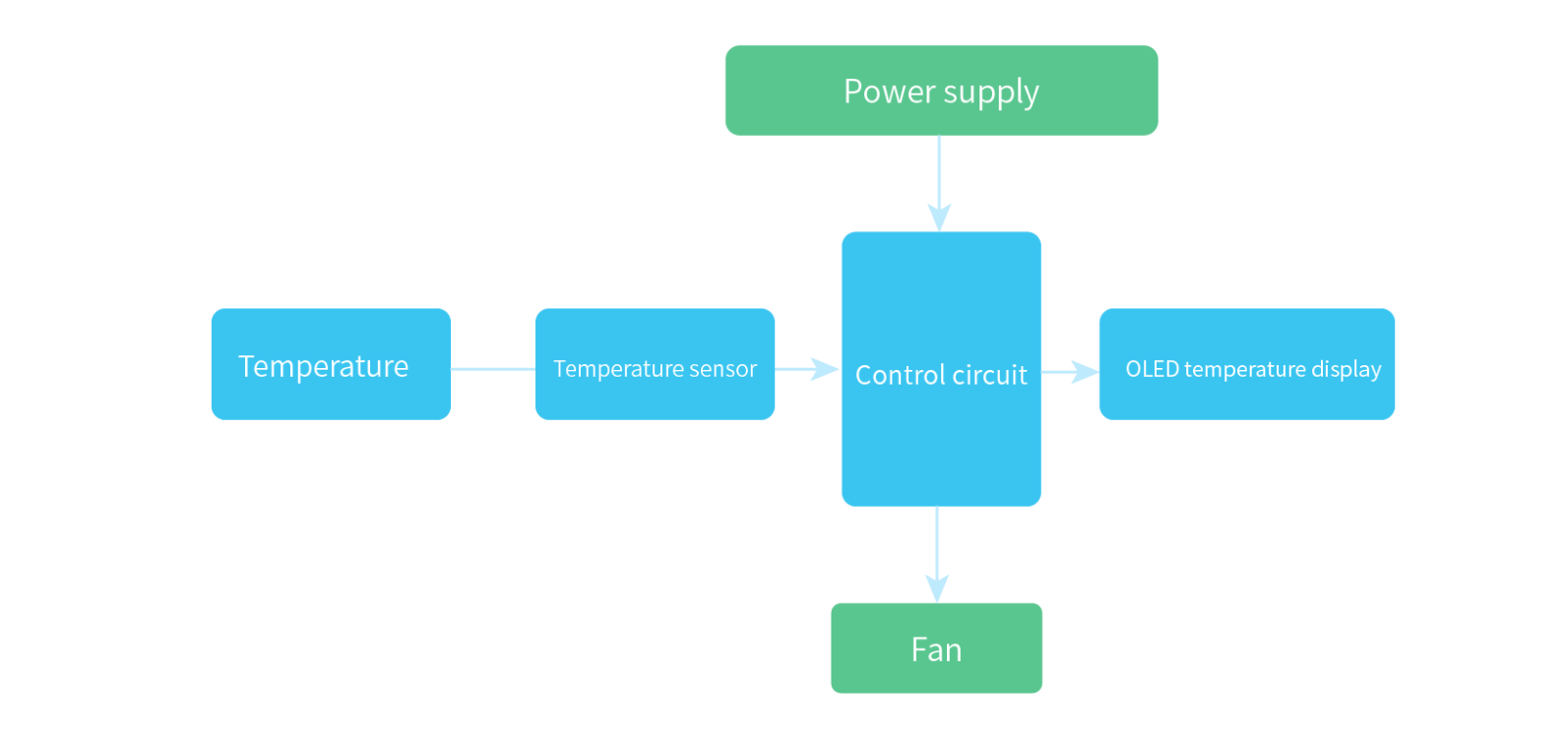
Working Model of Smart Fan
- Connection of the Relay to the fan
- When temperature degree is higher than threshold temperature fan turns ON to keep the room comfortable.
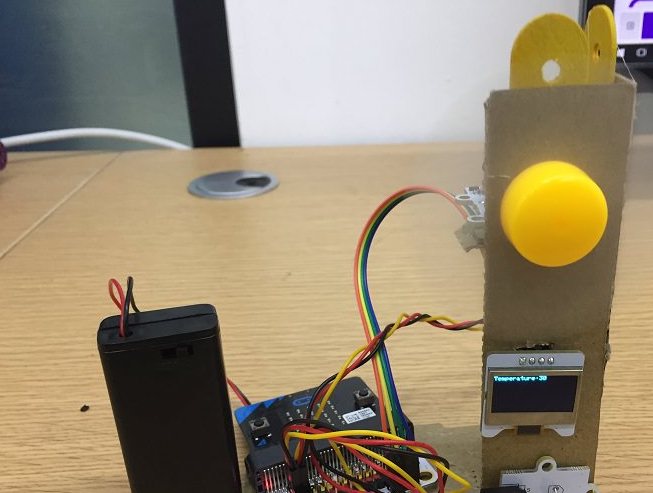
- When temperature degree is less than threshold temperature the fan will automatically stop.
✅ With a motor and fan, students can begin experimenting with movement, airflow, and automation—skills